Boost AI Performance: Reduce Latency by 15% with Our Guide
In today’s fast-paced digital world, the speed at which artificial intelligence models respond is crucial. If you’re looking to significantly improve your AI applications, learning how to optimize AI latency is a key step. High latency can lead to slow user experiences, missed opportunities, and ultimately, user dissatisfaction. Imagine a self-driving car that reacts a second too late, or a customer service chatbot that leaves users waiting. These scenarios highlight why reducing latency isn’t just a technical goal; it’s a business imperative.
This guide will walk you through a practical 4-step approach designed to help you reduce AI model latency by a noticeable margin, potentially up to 15% or more. We’ll explore various techniques, from fine-tuning your models to leveraging advanced hardware, ensuring your AI systems operate at peak efficiency. Our goal is to provide clear, actionable insights that you can implement to make your AI faster and more responsive.
Step 1: Streamlining Your AI Model Architecture
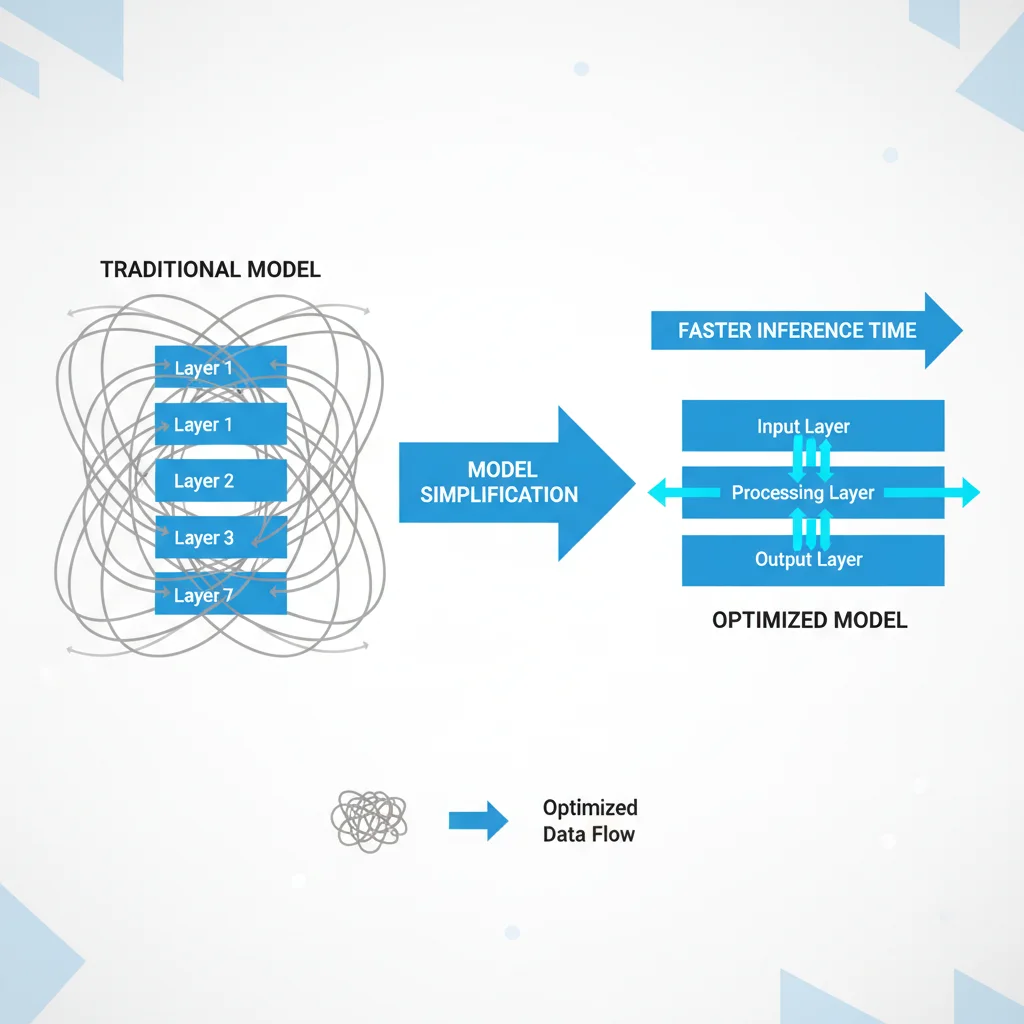
The first and often most impactful step in reducing AI latency involves carefully examining and streamlining your model’s architecture. Many AI models, especially those developed for research, might be overly complex for their deployment environment or specific task. A larger, more intricate model generally requires more computational resources and time to process each input, directly contributing to higher latency. Think of it like a sprawling mansion versus a compact, efficient apartment; both serve a purpose, but one is much quicker to navigate.
To begin, assess your model for unnecessary layers or parameters. Techniques like model pruning can help remove connections or neurons that contribute minimally to the model’s overall accuracy but add significant computational overhead. Similarly, quantization reduces the precision of the numbers used to represent weights and activations, often from 32-bit floating-point numbers to 8-bit integers. This change can drastically speed up calculations without a significant drop in performance. Another powerful method is knowledge distillation, where a smaller, simpler model learns to mimic the behavior of a larger, more complex ‘teacher’ model. This allows you to deploy a lightweight ‘student’ model that retains much of the teacher’s performance but with much lower latency. Each of these methods aims to make your model leaner and faster, directly contributing to a better user experience and reduced operational costs.
Key Model Simplification Techniques
- Pruning: Identifying and removing redundant connections or neurons in a neural network. This makes the model smaller and faster without losing much accuracy.
- Quantization: Reducing the precision of model parameters (e.g., from 32-bit to 8-bit). This speeds up computations and reduces memory footprint, especially on edge devices.
- Knowledge Distillation: Training a smaller, simpler model (student) to replicate the performance of a larger, more complex model (teacher). The student model then offers faster inference.
- Architecture Search (NAS): Using automated methods to find optimal, efficient model architectures for specific tasks and hardware. This can uncover surprisingly compact and fast designs.
- Layer Reduction: Experimenting with fewer layers or simpler layer types if the task allows. Sometimes, simpler models perform just as well for specific, well-defined problems.
By implementing one or more of these streamlining techniques, you can significantly reduce the computational load of your AI model. This translates directly into lower latency, as the model can process inputs and generate outputs much more quickly. It’s about finding the right balance between model complexity and the performance required for your specific application.
Step 2: Optimizing Your Hardware and Infrastructure
Even the most streamlined AI model will struggle if the underlying hardware and infrastructure aren’t up to the task. This step focuses on ensuring your computational environment is as efficient as your model. The choice of hardware plays a massive role in inference speed. General-purpose CPUs are versatile but often lack the parallel processing capabilities needed for rapid AI computations. Dedicated hardware accelerators like Graphics Processing Units (GPUs) and Tensor Processing Units (TPUs) are designed specifically for the matrix multiplications and parallel operations common in AI, offering substantial speedups.
Beyond choosing the right hardware, optimizing its utilization is equally important. This means ensuring that your AI workloads are properly distributed across available resources. For instance, in a cloud environment, selecting instance types with optimized networking and storage can prevent bottlenecks. Utilizing containerization technologies like Docker and orchestration tools like Kubernetes can help manage and scale your AI services efficiently, ensuring that resources are allocated dynamically as demand fluctuates. These tools also allow for easy deployment and rollback, reducing the risk associated with updates and changes.
Furthermore, network latency between your application and the AI model can be a significant factor. Deploying models closer to the end-users, perhaps through edge computing or geographically distributed data centers, can dramatically reduce the time it takes for requests and responses to travel. This physical proximity minimizes the ‘round trip time’ (RTT) of data packets, making the entire system feel much faster. Regularly monitoring your hardware’s performance metrics—such as CPU/GPU utilization, memory usage, and network throughput—is crucial for identifying and addressing bottlenecks before they impact user experience. A well-tuned infrastructure acts as a powerful engine for your optimized AI model, allowing it to perform at its best.
Step 3: Enhancing Data Processing and Pipelines
An AI model is only as fast as the data it receives and processes. Inefficient data pipelines can introduce significant latency, even if your model and hardware are perfectly optimized. This step focuses on making sure data flows smoothly and quickly to and from your AI model. The first area to examine is data preprocessing. Often, raw data needs cleaning, normalization, or transformation before it can be fed into the model. If these preprocessing steps are slow, they become a bottleneck. Optimizing these routines, perhaps by using more efficient libraries or parallelizing operations, can yield substantial time savings.
Data loading is another critical aspect. When your model is waiting for data to load from storage, it’s effectively idle, increasing latency. Techniques like asynchronous data loading, data caching, and using faster storage solutions (e.g., SSDs instead of HDDs, or in-memory databases) can dramatically speed up this process. For real-time applications, ensuring that data is streamed efficiently and is readily available is paramount. This might involve setting up message queues or stream processing platforms that can handle high volumes of data with minimal delay.
Consider the format and size of your data. Large, uncompressed data files take longer to transfer and process. Implementing efficient data serialization formats (like Protocol Buffers or Apache Avro) and compression techniques can reduce data transfer times. Furthermore, batching inputs can improve throughput, though it might slightly increase latency for individual requests. It’s a trade-off that needs careful consideration based on your application’s requirements. For example, processing 32 requests in one go might be faster overall than processing them one by one, even if the first request in the batch takes slightly longer to get its response.
Finally, minimizing data transfer between different system components can also reduce latency. If your preprocessing, inference, and post-processing steps can happen on the same machine or within the same network segment, you avoid the overhead of sending data across networks. A well-oiled data pipeline ensures that your AI model is never waiting for its next meal, allowing it to perform inferences continuously and quickly.
Step 4: Implementing Effective Caching and Monitoring
Even with a streamlined model, optimized hardware, and efficient data pipelines, there are still opportunities to reduce latency further through smart caching and continuous monitoring. Caching is a powerful technique where frequently requested results or intermediate computations are stored temporarily. If the same input is received again, the system can return the cached result almost instantly, bypassing the need for a full model inference. This is particularly effective for AI models that process common queries or make predictions on data that doesn’t change frequently. Implementing a well-designed caching strategy can drastically reduce the load on your AI model and significantly lower response times for repeat requests.

However, caching needs to be managed carefully to ensure data freshness and avoid serving stale predictions. Strategies for cache invalidation (deciding when a cached item is no longer valid) are crucial. This could involve time-based expiration, event-driven invalidation when underlying data changes, or a combination of both. Choosing the right caching solution, whether it’s an in-memory cache like Redis or a distributed caching system, depends on your application’s scale and requirements. Proper caching can provide an immediate speed boost for common scenarios, giving users a much snappier experience.
Beyond caching, continuous monitoring is indispensable for maintaining low latency and identifying performance issues before they become critical. Setting up robust monitoring tools allows you to track key metrics such as inference time, CPU/GPU utilization, memory consumption, network latency, and error rates in real-time. Dashboards that visualize these metrics provide immediate insights into the health and performance of your AI system. Alerting mechanisms can notify your team when certain thresholds are breached, allowing for proactive intervention. This might involve scaling up resources, investigating code changes, or identifying infrastructure bottlenecks.
Regularly analyzing performance logs and conducting A/B tests on different model versions or infrastructure configurations can also help you pinpoint areas for improvement. This iterative process of monitoring, analyzing, and optimizing ensures that your AI system remains performant and responsive over time. Without continuous vigilance, even the most optimized system can degrade as data patterns shift or traffic increases. Effective caching and diligent monitoring are the final pieces of the puzzle to ensure your AI models consistently deliver low-latency responses.
Step 5: Leveraging Asynchronous Processing and Batching
Our final step to further optimize AI latency involves strategically implementing asynchronous processing and batching techniques. While the previous steps focused on making individual inferences faster, these methods address how multiple inferences are handled, often leading to better overall system throughput and perceived responsiveness. Asynchronous processing allows your application to submit inference requests to the AI model without waiting for an immediate response. Instead, it can continue performing other tasks and retrieve the AI model’s output later, once it’s ready. This is particularly useful in scenarios where immediate feedback isn’t strictly necessary, or where the application needs to handle many requests concurrently.
For example, if a user uploads a large image for AI analysis, the application can immediately confirm receipt and allow the user to continue browsing, while the AI processes the image in the background. Once the analysis is complete, the user can be notified. This approach improves the user experience by preventing the application from freezing or appearing unresponsive during long-running AI tasks. Implementing asynchronous patterns often involves using message queues (like RabbitMQ or Apache Kafka) or serverless functions that can trigger AI inference and then store results for later retrieval. This decouples the request submission from the response delivery, making the system more resilient and efficient.
Batching, on the other hand, involves grouping multiple individual inference requests into a single, larger request that is then processed by the AI model. Many modern AI hardware accelerators, like GPUs, are highly optimized for parallel processing of data. Sending a batch of 32 or 64 inputs at once can be significantly more efficient than sending 32 or 64 individual inputs sequentially. The overhead associated with setting up the computation for each inference is amortized across all items in the batch, leading to higher throughput and better utilization of computational resources. While batching might introduce a slight delay for the first item in the batch to be processed (as it waits for other items to accumulate), the overall efficiency gain often outweighs this minor latency increase, especially in high-throughput environments.
The key is to find the optimal batch size for your specific model and hardware. Too small a batch might not fully utilize the hardware, while too large a batch could lead to memory issues or excessive delays for individual items. Experimentation and profiling are essential to determine the sweet spot. By combining asynchronous processing for improved user experience and batching for enhanced computational efficiency, you can push your AI system’s performance to new levels, ensuring it handles demand gracefully while maintaining low latency.
Frequently Asked Questions
Q: What is AI model latency and why is it important?
A: AI model latency refers to the time it takes for an AI model to process an input and produce an output. It’s crucial because high latency can lead to slow application responses, poor user experience, and can even be critical in real-time applications like autonomous driving or fraud detection.
Q: Can I really reduce latency by 15% with these steps?
A: Yes, a 15% reduction is a realistic and often achievable goal when systematically applying these optimization techniques. The exact percentage depends on your starting point and the specific inefficiencies in your current setup, but significant improvements are common.
Q: Is model accuracy affected by latency optimization techniques like pruning or quantization?
A: While some techniques can slightly impact accuracy, the goal is to find the optimal balance. Pruning and quantization are often designed to have minimal impact on accuracy, especially when applied carefully. It’s important to always re-evaluate model performance after optimizations.
Q: How often should I monitor my AI model’s performance?
A: Continuous monitoring is ideal for real-time systems. For others, daily or weekly checks, combined with automated alerts for anomalies, can be sufficient. The frequency depends on the criticality of the application and how often its performance characteristics might change.
Q: What are the main benefits of reducing AI latency beyond just speed?
A: Beyond faster responses, reducing AI latency can lead to lower operational costs (less compute time), improved scalability (handling more requests with the same resources), better user satisfaction, and the ability to deploy AI in more demanding real-time scenarios.
Official Resources
- TensorFlow Lite Model Optimization
- PyTorch Quantization Documentation
- Google Cloud TPUs for AI Acceleration
- NVIDIA Deep Learning Inference Accelerators
- IBM Cloud Learn: What is Edge Computing?
Conclusion
Optimizing AI model performance, particularly by focusing on latency reduction, is a continuous journey that yields significant rewards. We’ve explored a comprehensive 4-step approach, from streamlining your model architecture and optimizing hardware to enhancing data pipelines and implementing smart caching and monitoring. Each step plays a vital role in shaving off precious milliseconds from your AI’s response time, collectively leading to a smoother, more efficient, and ultimately more impactful AI application.
By systematically applying techniques like model pruning, leveraging specialized hardware, ensuring rapid data flow, and continuously monitoring your system, you can achieve substantial improvements. Aiming for a 15% reduction in latency is a realistic and tangible goal that can transform user experience and operational efficiency. Remember, the world of AI is dynamic; what works today might need fine-tuning tomorrow. Embrace continuous optimization as a core practice. Start implementing these strategies today, measure your progress, and watch your AI models perform at their peak.