Smart Home Hacking Prevention: Essential Configuration Tips
Safeguard your smart home from potential threats. This guide provides essential configuration tips to enhance the security of your connected gadgets, helping you prevent hacking and maintain your privacy in an increasingly interconnected world.
By: pedropadm2025@gmail.com on agosto 14, 2026
In our increasingly connected world, smart homes offer convenience and efficiency that were once unimaginable. From intelligent thermostats to voice-activated assistants and security cameras, these gadgets weave a complex web of interconnectedness within our living spaces. However, this convenience comes with a critical responsibility: ensuring the security of these devices. Without proper precautions, your smart home could become a target for cyber threats. Implementing robust smart home security tips is not just an option; it’s a necessity to protect your privacy and digital well-being.
Understanding the potential vulnerabilities is the first step toward fortifying your digital sanctuary. This article will guide you through eight essential configuration tips designed to help you prevent smart home hacking and keep your connected gadgets secure. By taking proactive steps, you can enjoy the benefits of your smart home with peace of mind, knowing your data and privacy are well-protected.
Change Default Passwords Immediately
One of the most fundamental yet often overlooked smart home security tips is to change default passwords on all new devices. Many smart gadgets come pre-configured with generic passwords like ‘admin,’ ‘password,’ or ‘123456.’ These are widely known and easily exploited by hackers. Leaving these default credentials in place is like leaving your front door unlocked with a spare key under the mat for anyone to find. It creates a significant vulnerability that malicious actors can quickly leverage to gain unauthorized access to your network and devices.
It’s crucial to replace these weak defaults with strong, unique passwords as soon as you unbox and set up any new smart device. A strong password combines uppercase and lowercase letters, numbers, and special characters. Aim for a length of at least 12-16 characters. This simple but effective measure dramatically increases the effort required for an attacker to breach your system, making it a cornerstone of effective smart home security.
Enable Two-Factor Authentication (2FA)
Two-Factor Authentication, or 2FA, adds an extra layer of security beyond just a password. This is a critical component of any comprehensive security strategy, especially when it comes to your smart home devices and the accounts that control them. Even if a hacker manages to crack your password, they would still need this second piece of information to gain access, making unauthorized entry much more difficult. Many smart home platforms and individual devices now offer 2FA as an option, and it should always be enabled where available.
Typically, 2FA involves something you know (your password) and something you have (a code sent to your phone, a fingerprint, or a hardware token). This dual-layer approach significantly enhances protection against phishing attacks and credential stuffing. Always check the settings of your smart home apps and device portals to activate 2FA for all linked accounts. This small step can provide a huge boost to your overall security posture.
Secure Your Wi-Fi Network
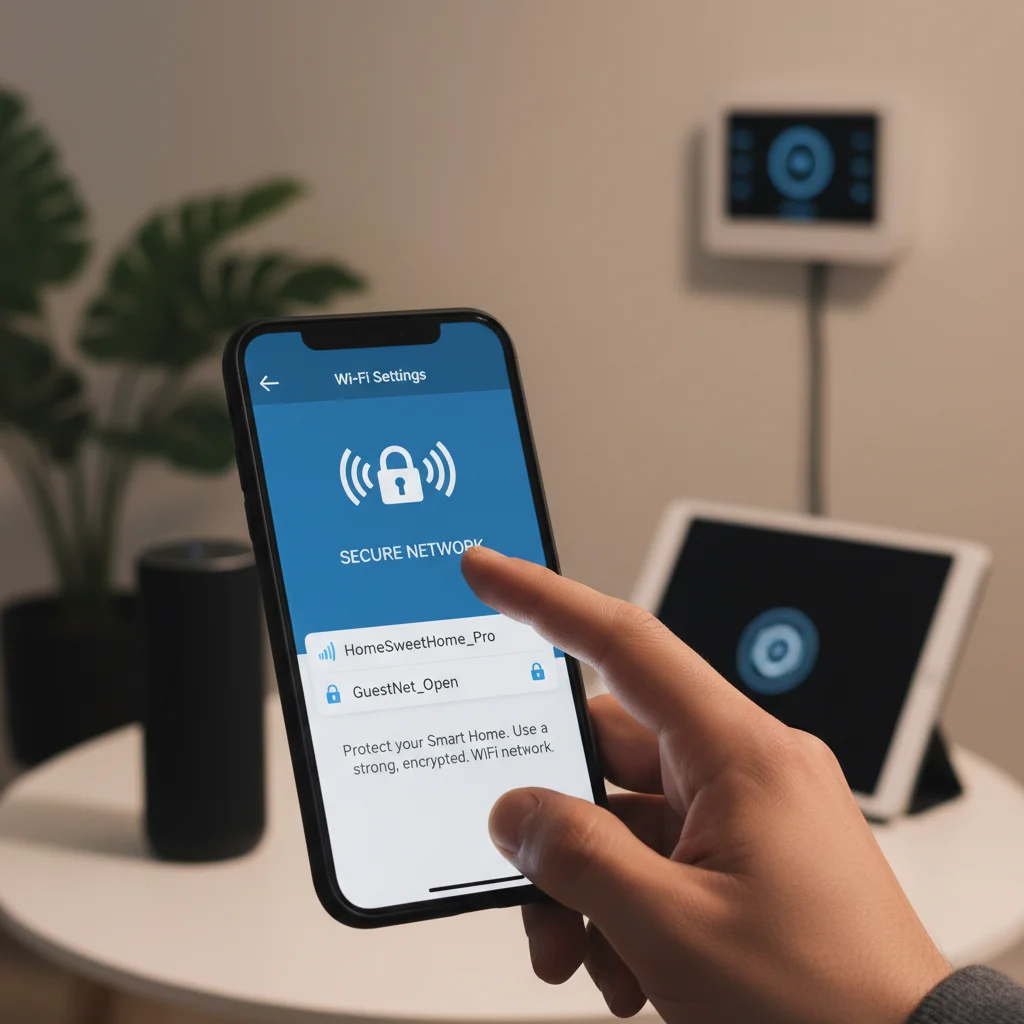
Your Wi-Fi network acts as the central nervous system for your entire smart home. If this network is compromised, every connected device on it becomes vulnerable. Therefore, securing your Wi-Fi is paramount among all smart home security tips. Start by changing the default name (SSID) of your network to something generic that doesn’t reveal personal information or your location. More importantly, use strong encryption for your Wi-Fi, preferably WPA3, or at least WPA2.
Router Security Settings
Strong Password: Create a complex, unique password for your Wi-Fi network.
WPA3/WPA2 Encryption: Ensure your router is using the strongest available encryption protocol.
Disable WPS: Wi-Fi Protected Setup (WPS) can be vulnerable; disable it if not absolutely necessary.
Guest Network: Set up a separate guest network for visitors to keep your main network isolated.
Firmware Updates: Regularly update your router’s firmware to patch security vulnerabilities.
By implementing these router security measures, you create a robust perimeter around your smart home, protecting all devices connected to it from external threats.
Regularly Update Device Firmware and Software
Like any other piece of technology, smart home devices rely on software and firmware to function. Manufacturers frequently release updates to these components, often containing critical security patches that address newly discovered vulnerabilities. Neglecting these updates leaves your devices exposed to known exploits that hackers are always looking to leverage. Think of it as leaving a broken window in your house after the manufacturer has sent you a kit to fix it; eventually, someone will notice and take advantage.
It’s vital to establish a routine for checking and installing updates for all your smart gadgets. Many devices offer automatic updates, which you should enable whenever possible. For those that require manual updates, make it a point to visit the manufacturer’s website or app regularly. Keeping your devices’ software current is a proactive and essential step in maintaining their security and overall functionality. This continuous vigilance forms a crucial part of effective smart home protection.
Isolate Smart Devices on a Separate Network
Creating a separate network for your smart home devices, often called a guest network or a dedicated IoT (Internet of Things) network, is an advanced but highly effective security measure. This strategy helps to segment your network, meaning that even if one of your smart gadgets were to be compromised, the attacker would have a much harder time accessing your more sensitive devices, such as your computers, smartphones, or personal data stored on your main network. It’s like having a separate, less secure entrance for deliveries to your home, keeping the main living areas more protected.
Many modern routers allow you to set up multiple Wi-Fi networks. Configuring a separate network for your IoT devices means they operate in their own isolated environment. This containment limits the potential damage from a breach, preventing a compromised smart light bulb from becoming a gateway to your banking information. This isolation is a powerful defense mechanism, significantly enhancing your overall smart home security posture and protecting your valuable personal data.
Review App Permissions and Data Sharing Settings
When you install smart home apps on your smartphone or tablet, they often request various permissions, sometimes beyond what’s strictly necessary for the device to function. These permissions can include access to your location, microphone, camera, contacts, or even storage. While some permissions are legitimate, others might be excessive and could potentially expose more personal data than you intend. It’s crucial to scrutinize these requests carefully before granting access, as this is a key aspect of protecting your privacy within your smart home ecosystem.
Key Permission Checks
Location Services: Does your smart plug truly need constant access to your precise location?
Microphone/Camera: Only grant access if the device’s core function requires it (e.g., a security camera).
Contacts/Photos: Be wary of apps requesting access to personal data not directly related to device operation.
Data Sharing: Check the app’s privacy settings for options to limit data collection or sharing with third parties.
Regularly reviewing and adjusting these permissions ensures that your smart devices and their controlling apps only access the data they absolutely need, minimizing your digital footprint and enhancing your privacy.
Disable Unused Features and Services
Many smart home devices come packed with features and services that you might never use. These can range from remote access capabilities to cloud storage integrations or even specific communication protocols. While these features are designed for convenience, each one represents a potential entry point for attackers if not properly secured. Disabling unnecessary functions reduces the ‘attack surface’ of your device, making it less vulnerable to exploitation. It’s a simple concept: if a door isn’t there, it can’t be kicked in.
Take the time to explore the settings of each smart device and its associated app. If you don’t use remote access for a particular gadget, turn it off. If a device offers cloud storage but you prefer local storage, disable the cloud feature. This proactive approach ensures that only the essential services are running, minimizing potential risks. By streamlining your device’s functionality to only what you actively use, you significantly bolster its security and reduce the chances of a successful hack.
Consider Device Reputation and Privacy Policies
Not all smart home devices are created equal, especially when it comes to security and privacy. Before purchasing any new gadget, take the time to research the manufacturer’s reputation for security. Look for companies with a history of transparent privacy policies, regular security updates, and a commitment to protecting user data. A cheap, no-name device might seem like a bargain, but it could come at a significant cost to your personal security and privacy in the long run. Trustworthy brands often invest more in robust security measures and provide better support when issues arise.
Always read the privacy policy associated with a smart device and its accompanying app. Understand what data the device collects, how it’s stored, who it’s shared with, and for what purpose. If a privacy policy is vague, difficult to understand, or raises red flags, it might be best to look for an alternative product. Making informed choices about the devices you bring into your home is a foundational aspect of building a truly secure and private smart home ecosystem.
Frequently Asked Questions
What is the biggest risk to smart home security?
The biggest risk often stems from weak passwords and unpatched software. Default or easily guessable passwords provide hackers with an easy entry point, while outdated firmware leaves devices vulnerable to known exploits. Addressing these two areas significantly improves security.
How often should I update my smart home devices?
You should update your smart home devices as soon as new firmware or software updates are available. Many devices offer automatic updates, which should be enabled. For manual updates, check monthly or whenever you receive notifications from the manufacturer.
Is a guest Wi-Fi network really necessary for smart devices?
While not strictly necessary for basic functionality, a guest Wi-Fi network is highly recommended for enhanced security. It isolates your smart devices from your main network, preventing a potential breach of one device from compromising your computers and personal data.
Can my smart speaker listen to me all the time?
Smart speakers are designed to listen for a ‘wake word’ before recording and sending audio to the cloud. However, privacy concerns exist. Regularly review your device’s privacy settings and consider muting the microphone when not in use for added peace of mind.
What should I do if I suspect my smart home device has been hacked?
If you suspect a hack, immediately disconnect the device from your network. Change all associated passwords, enable two-factor authentication, and report the issue to the device manufacturer. Consider a factory reset if necessary, and monitor your network for unusual activity.
Securing your smart home is an ongoing process, not a one-time task. By diligently applying these eight essential configuration tips, you can significantly reduce the risk of smart home hacking and protect your personal privacy. From changing default passwords and enabling two-factor authentication to securing your Wi-Fi and regularly updating device firmware, each step contributes to a more robust defense against cyber threats. Remember to be mindful of the permissions you grant to apps and to research the reputation of device manufacturers before making a purchase.
The convenience of a connected home should never come at the expense of your security. Taking a proactive and informed approach to your smart home’s defenses ensures that you can enjoy the benefits of modern technology without unnecessary worry. By implementing these smart home security tips today, you’re not just protecting your gadgets; you’re safeguarding your digital life and maintaining control over your personal space. Start securing your smart home now and build a safer, more private connected environment for yourself and your family.